
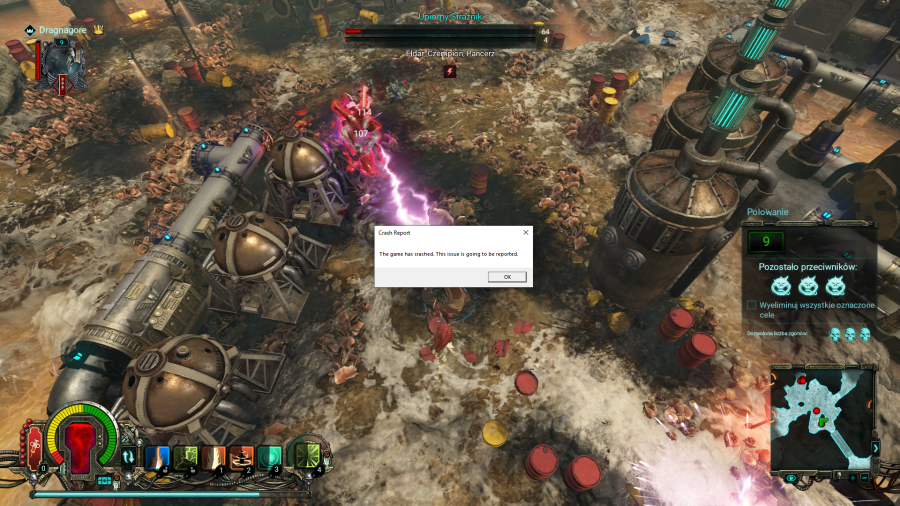
Hi i bought the game on steam 3 days ago, new computer and crash game recently
Getting kicked frequently during missions prevents me from playing any game, what should I do? I have the latest drivers and specifications for my computer
Specyfication:
Win10 64 bit
B450 AORUS ELITE
AMD Ryzen 7 2700X Eight-Core Processor
NVIDIA GeForce RTX 2070
16GB Ram DDr4
Your Thoughts? Please login to place your opinion. Not a member yet? Register here and now!
- Reinstall the game on a different drive
- Update your Windows
- Update your drivers (especially your graphic card)
- Add the game to your Firewall's and Antivirus's exceptions
We hope these help!
i do all of this, reinstall game , update driver and windows, add games to firewall,
crash is 20 by 30 minut of game, sometimes closed the game, and blue screen windows
Blue screeen windows:
the system speaker stutters, a blue screen pops up, writes at the bottom that there is a problem with some windows dll library but the screen shows too quickly so I couldn't save the exact name of the file
The crash reports are automatically sent to us.
Did you delete the whole folder but it had no effect at all?
Hi, do you have a crash report?
where i find crash report ?
C:\Users\drado\Documents\NeocoreGames\Warhammer Martyr ?
and file name as log ?
please first try these things:
- Verify the game's integrity in Steam (possible twice, Steam does not download things properly all the time)
- Enter the NeocoreGames folder in your Documents and delete the Warhammer Martyr folder. Then check on the game
Please let us know how it went.
Hi, do you have a crash report?
Set this current order state as My default.